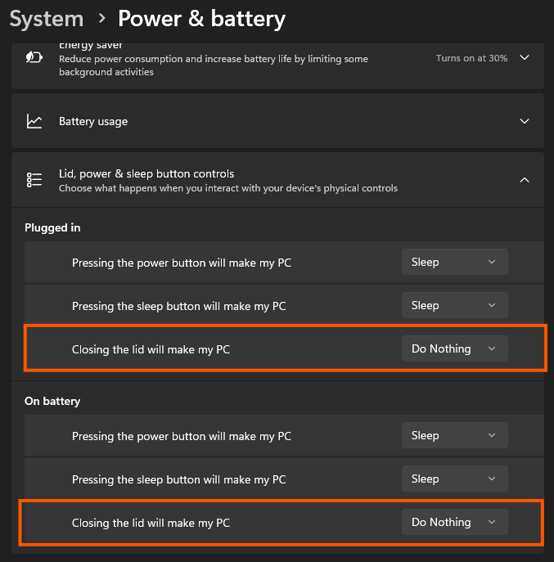
To use your Windows laptop with the lid closed while connected to a docking station, you can change what your laptop does when the lid is closed.
Open Control Panel and select Power Options → Choose what closing the lid does. Under When I close the lid, set the option to Do nothing for the desired power mode.
Important
- These settings allow your laptop to remain on when the lid is closed.
- Make sure your external monitor, keyboard, and mouse are connected to the docking station.
- Windows settings and available options may vary depending on your laptop manufacturer and version of Windows.