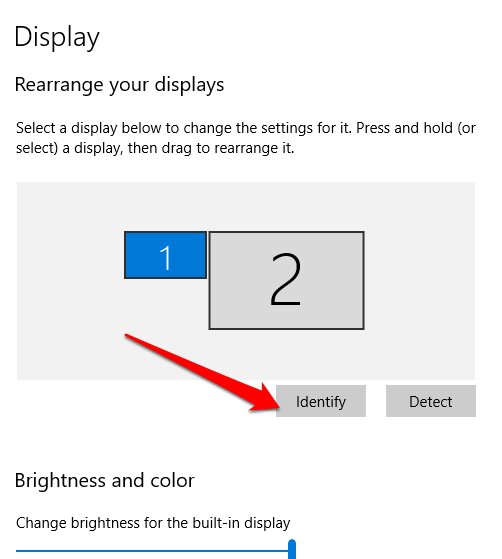
For Windows, right-click an empty area of your desktop and select Display settings. You can also go to Settings → System → Display.
Under Rearrange your displays, select Identify to see the number assigned to each monitor. Drag and drop the monitor displays into the desired position to match how they are physically arranged on your desk.
Important
- Select Identify to determine which number corresponds to each monitor.
- Drag the monitor displays into the desired arrangement.
- Select Apply to save your changes.
- Windows display settings may vary slightly depending on your version of Windows.